Early access
Your notes, in your pocket.
Tack Notes for Android opens straight to your board, works with no signal, and syncs with tacknotes.com the moment you’re back online. Reminders ring on the phone, pinned notes sit on your home screen, and every note keeps its history. Free, like the rest of Tack Notes.
Version 0.35.0, 4.2 MB
Android 8 or newer
On an iPhone or a computer? Use Tack Notes in your browser. It works offline there too.
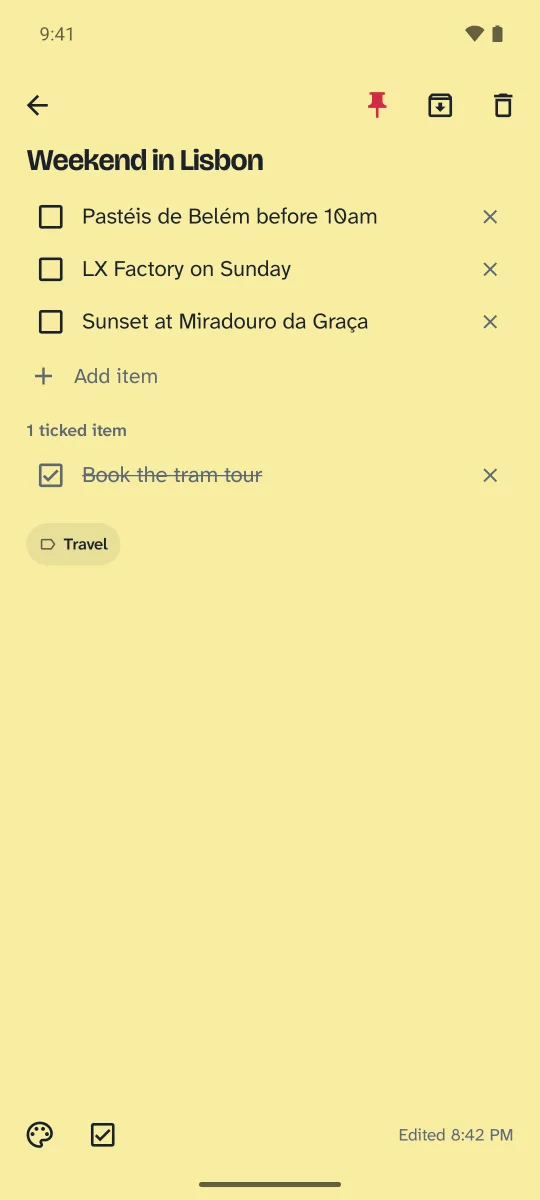
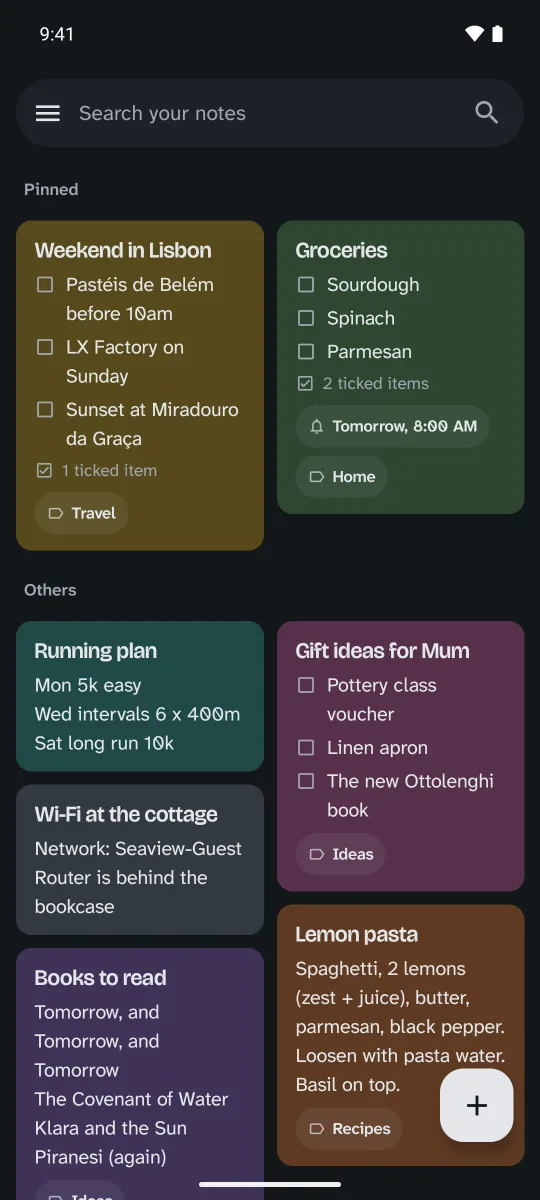
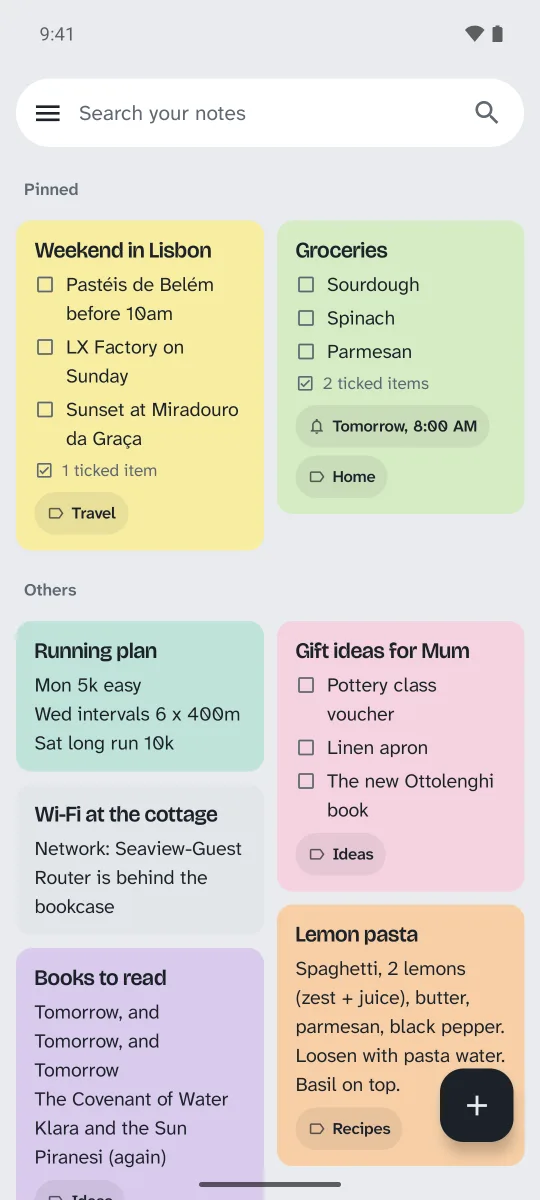
Install it in a minute
-
Download it
Tap Download for Android on your phone. The app comes straight from Tack Notes while it’s in early access, not the Play Store.
-
Open the file
Android asks before installing apps from outside the Play Store. Allow it for your browser, once. It may also say the app is unrecognised: that’s expected for now, so choose to install anyway.
-
Sign in
Use your Tack Notes email and password, or continue with Google. Your notes appear, and stay on your phone for when there’s no signal.
New versions arrive inside the app: when one is ready, it offers to update.
What it does
-
Reminders that ring
Reminders go off on the phone itself, even with no signal. Snooze for an hour or until 8:00 am tomorrow from the notification, or tap it to open the note.
-
Your home screen
A widget shows your pinned notes, and you can tick list items without opening the app. It has new note and new list buttons too. There’s also a Quick Settings tile for a new note, and shortcuts on the app icon.
-
Lists that start fresh
Put a repeating reminder on a list and it can untick every item each time it goes off. Good for the weekly shop or a daily routine.
-
Version history
Every note keeps its earlier versions. Pick one, see what would come back highlighted, restore it, and undo if you change your mind. Free keeps 20 versions of each note, Pro keeps 100.
-
Sharing
Share a note with anyone by email, or make a read-only link that anyone can open with no account. Stop the link and the page disappears.
-
Speak or share in
Speak and your words appear in the note as you pause (Pro). Share text or images into Tack Notes from any app, or add images from your gallery or the camera.
-
Lists and notes
Drag list items to reorder or indent them. Labels, colours, pin, archive and trash, all with undo. Select several notes, or all of them, to share them, give them a reminder or combine them into one. Undo and redo while you write.
-
Find and sort
Search every note, even offline, and filter by type, label and colour. With Pro, a label you’ve put on several notes can go on new notes about the same thing by itself (Edit labels, the sparkle).
-
One account, everywhere
Changes from the web appear live. Your theme and grid or list choice follow you between the app and the website. The app installs its own updates.
Coming next
- The Google Play Store
Bring your notes home.
Create a free account, upload your Google Keep export, and your board is back in minutes.